
While wandering along the Internet, I came across this great Disk Encryption tool called TrueCrypt. TrueCrypt is a free Open-Source Disk Encryption Tool that is very easy to use and offers advanced options to protect and secure your data while you save it on the hard disk.
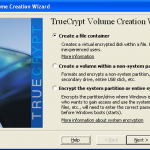
TrueCrypt creates an Encrypted Disk (a volume would be appropriate) in a single file. This will will look and behave very much like any other file (like copy to a new location) and the integrity of the data stored into it is still very good. However, when you mount the volume, TrueCrypt mounts it as a NTFS/FAT32 drive with a drive letter making it look like a seperate disk or partition. Even when the volume is mounted, the files are still encrypted as they are in the memory.
TrueCrypt can work on Windows, Linux and MacOS.
TrueCrypt can perform encryption on the fly and is realtime. In addition, TrueCrypt can
1. Encrypt an entire disk like a USB disk, a Hard Disk or a partition
2. Encrypt the System partition or the System Drive where Windows is installed as a whole.
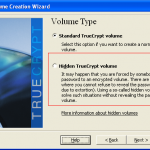
3. Create hidden volumes inside an existing volume which is not visible unless mounted seperately
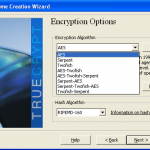
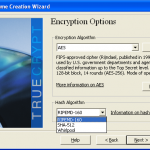
4. Choice of different encryption options and multiple HASHing algorithm
TrueCrypt is light-weight can allow automount volumes. The most impressive feature for me is the hidden partition wherein, you create a encrypted volume within an encrypted volume. The advantage of this hidden volume is that it is not visible when the outer volume is mounted which means when you end up in a situation to reveal the encrypted volume password, you can actually reveal the password of the outer encrypted volume and still hold the hidden volume password which means confidential data inside this hidden volume is still not seen by others.
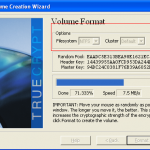
TrueCrypt also offers Keyfiles that can be used instead of a encryption password for added security (but you lose the keyfile, you loose the volume as it cannot mounted without the keyfile). You can also backup and restore the Headers of the encrypted volumes.
TrueCrypt is truely a fantastic presentation what opensource can be for the masses…
Disk Free Space 1.0
Disk Free Space 1.0 310 KB, FreeWare
Disk Free Space – This program shows the amount of free space on logical disk computer.
Designed for Windows, tested on Windows XP Pro SP2.
Displays in the Windows system tray information about free space on your hard drive.
Information is shown only for the hard disk partitions. Holiday, network and other drives are ignored.
The period of the disk and update the information equivalent to 10 seconds.
[Disk Free Space download]